


Top 5 Apps for Students to Boost Their Productivity

Year after year, the competition keeps increasing in the academic world, and students are overwhelmed with daily work and responsibilities. Moreover, with the abundance of homework, students feel less motivated to complete it and return to their smartphones. Therefore, why not use your phone to motivate yourself to complete that pile of assignments you left for another day?
If you use the right app for students, then it won’t be a distraction anymore; it will be the key to your academic success. In the following article, we have provided you with the PDF editor for students and other productivity tools that help you study your best without stressing out about the deadlines.
Part 1: Top 5 Apps that Every Student Must Have
Every student should embrace technological advancement as it brings innovative and beneficial tools that help us in our daily routine. With that, students must have these top 5 apps that make them productive, manage their time properly, and help them finish their work.
1. UPDF – The Best PDF Editor for Students
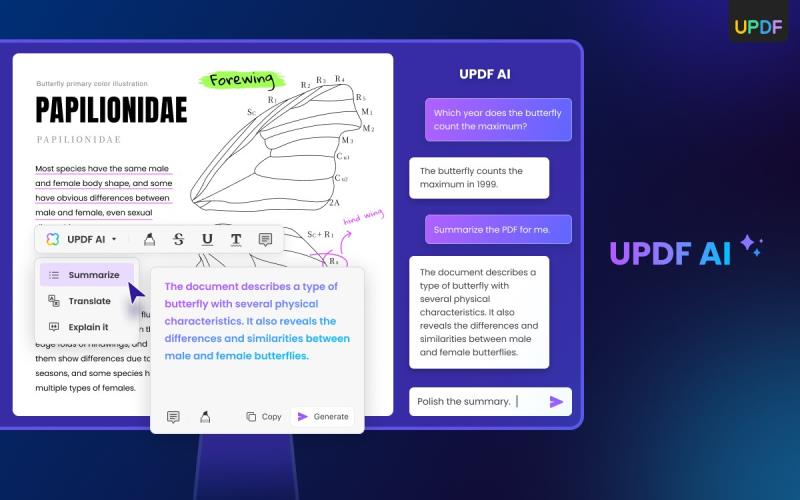
UPDF is AI-powered PDF editor that helps you with your assignment and PDF document-related issues by providing various features. The editing feature of UPDF provides you with customization options where you can change the color, size, and font of your text. You can also add relevant images and links to your PDF to make your notes more personalized.
Furthermore, users can make your long PDF into readable files by personalizing the pages into single or double-page views. You can also convert these scanned documents into editable file formats like Word, PPT, and Excel, which you can later edit. Other than that, you can enhance your reading experience by using the slideshow feature that helps you read PDFs faster. With this multi-featured PDF editor for students, you can streamline your educational tasks for a productivity boost.
Key Features
- Students can improve their PDF work using UPDF AI, which can summarize your document into comprehensive text. It can also help you explain any technical and academic material in easy words.
- If you utilize the annotation feature, you can highlight, underline, and add stickers and stamps to important text. This makes going through the documents much easier in the time of doing your assignment.
- The OCR feature helps convert your text from a scanned PDF into an editable and searchable PDF document. It also supports up to 38 languages, so you are not restricted to only one language.
- You can swiftly organize your PDF pages by using the Organize feature, where you can insert new pages, replace pages, and extract pages. There is also an option to delete unwanted pages to avoid untangled work.
- UPDF batch convert feature converts multiple PDFs into PPT, Excel, Image, and HTML formats at a time while maintaining the original format.
2. Coursera (Android/iOS)
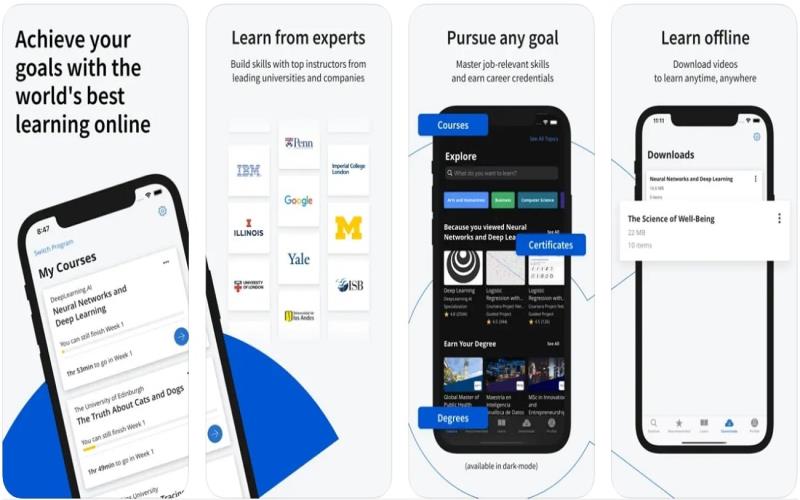
Coursera is a learning platform with over 8000 courses, hands-on projects, and degrees that help students academically. In addition to that, it provides you with relevant job-related skills that can help you earn certificates and career credentials. Furthermore, if you want to excel in your desired field, Coursera can help you master the skills necessary specifications. Students can watch and learn from different courses through their iPhone and Android devices.
Key Features
- Students can receive downloadable course videos on their desired field of career, which are audio-supported so that they can listen whenever they want.
- This app tests your knowledge with pre-prepared tests, quizzes, and coursework so that you can continuously improve yourself.
- You can create subtitles in Arabic, French, German, Indonesian, Spanish, and other foreign languages for diverse language accessibility in videos.
3. Grammarly (Android/iOS)
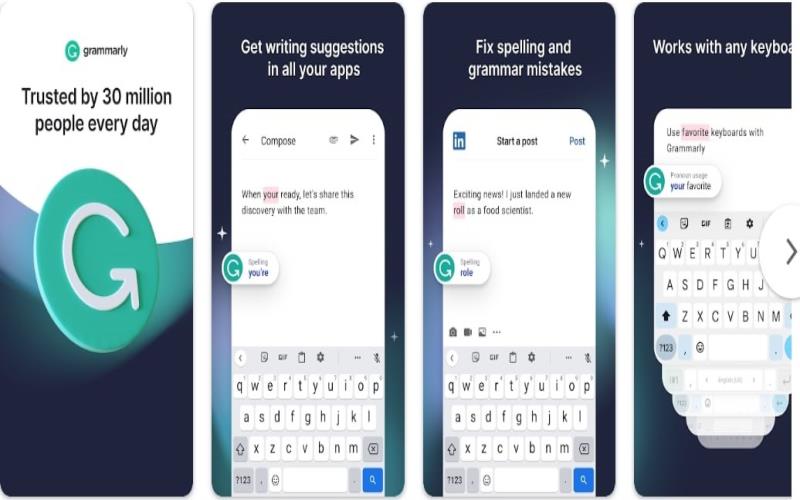
Grammarly is an app for students that quickly and accurately autocorrects their assignment text. With Grammarly, you can significantly improve your writing’s tone, style, sentence structure, and more. Furthermore, this tool helps reduce grammatical errors, clarify your document, and make it more engaging. Other than that, this tool keeps your document secure with its data encryption protection, as your words are yours alone.
Key Features
- Grammarly has also introduced a Grammarly Go version, which provides AI suggestions to improve your content further.
- It also keeps track of your writing performance and displays word count, readability, and scoring to ensure you have a well-written document.
- You can also adjust your writing goals on Grammarly, such as customizing your audience, formality, domain, and intel to get the desired result.
4. myHomework (Android/iOS)
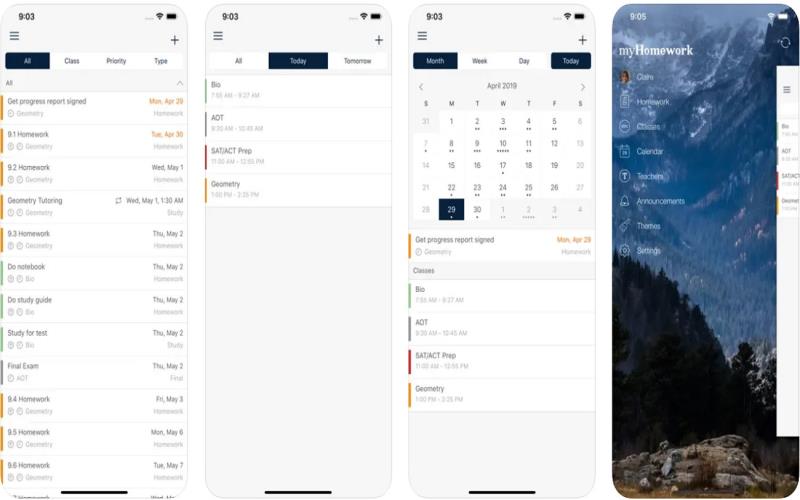
myHomework is a student planner app that helps you manage and organize plans for your classes and homework. This tool contains additional features that provide students with a proper schedule so that they never get distracted from their goals. Additionally, it keeps your academic priorities straight by providing you with daily reminders. You can set your working schedule along with extra-curricular activities to keep a healthy work balance.
Key Features
- myHomework has an intuitive interface with a well-organized calendar feature where you can plan your work schedule and activities.
- It also provides you with a download option where you can download your teachers’ classes, important notes, assignments, and announcements.
- You can also mark down your completed assignments and tasks on the planning time feature so that you stay informed of how much needs to be done.
5. SimpleMind (Android/iOS)
SimpleMind is an easy-to-use app for students that has a collection of education tools and uses visually stunning features to make learning fun. It offers students and teachers different editing tools where they add in, remove, and check off tasks. Moreover, this tool helps you brainstorm thoughts and assist you by generating various ideas. This app can be used by low graders as well who otherwise struggle with using such apps.
Key Features
- The mind maps feature help students and teachers plan out their homework and lessons in the most engaging way. You can later share, edit, and digitalize them for further use.
- You can create flow diagrams with words and create colorful links and imagery to plan out your thoughts more visually.
- This tool works like a pen and pencil, where you can map out your thoughts and organize them by adding shapes and printing them out as well.
Conclusion
Throughout this article, we have introduced you to the best apps for students that will do an excellent job of boosting their productivity. All these apps will prove to be a game changer for you during your student life. However, as students deal with PDF notes the most, UPDF emerges as the best PDF editor for students. With its multi-featured AI and annotation tools, it can smoothen the revision process for them.