

Beginner-Friendly Photoshop Design Ideas for Instant Inspiration
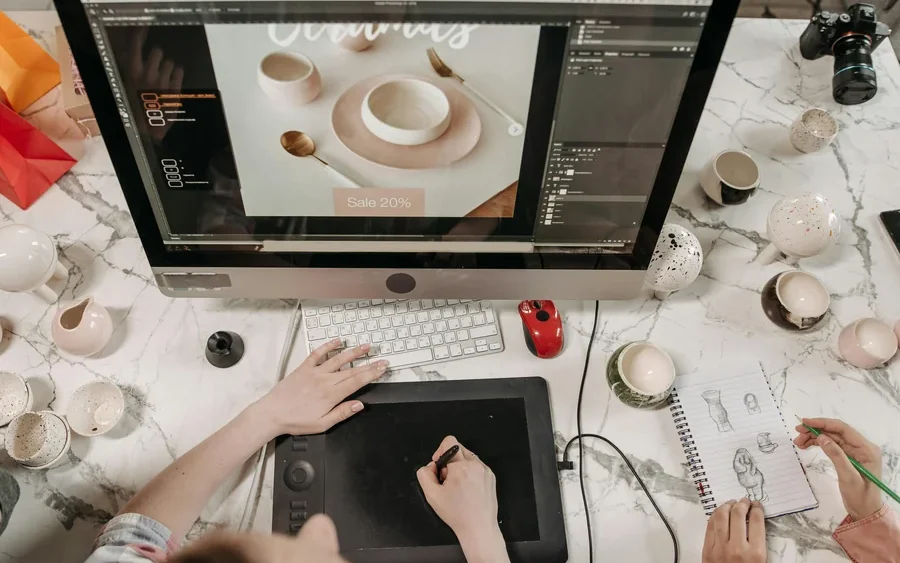
Starting with Photoshop could be both exhilarating and daunting, with all of its features, capabilities, and options. Sometimes, the question of what to start off with might be a tough nut to crack, but there is always something easy which would inspire confidence and promote exploration. Starting off learning Photoshop either just out of curiosity, for creating some social media content, or even for a design portfolio, could hone one’s skills in a matter of minutes. Here are five such Photoshop design ideas that will get you going.
Create a Bold Typography Poster
One of the best Photoshop exercises for beginners is the typography poster since it allows you to play around with your creativity regarding the hierarchy and design. Choose a simple phrase, quote, or even a single word that you can then convert into a typographic poster. The use of contrasting font types enables one to play around with colors as well as space between characters in order to create a certain atmosphere.
Additionally, one can experiment with different designs by using letter masks or incorporating elements such as drop shadow, gradients, and letter overlay to enhance the character of letters. Text can be overlaid against photos and incorporated into custom shapes.
Experiment with Different Textures
Textures will definitely change a flat design to an enriched and multi-layered composition. The use of elements like paper textures, concrete, watercolor, dust, scratches, and fabrics will surely make the project more interesting. It is a wonderful way of practicing different blending modes like Overlay, Multiply, Soft Light, and Screen.
Start with a basic composition, then layer textures until the design feels more dynamic. Reduce opacity or erase parts selectively to create a natural effect. Many designers also purchase the best Photoshop brushes that complement textured work, especially when adding ink strokes, grain, or distressed finishing details. Exploring texture teaches you how surface details affect mood and helps you develop a stronger visual style.
Design a Cinematic Photo Manipulation
Image manipulation is an important skill in Photoshop and an interesting exercise in masking and compositing. Start with either a portrait or a landscape shot. Then, incorporate different shots into a single image. You can experiment with adding clouds, unique lighting, glows, or unusual items for some creativity.
Be careful with the color coordination and shadows to make sure everything blends nicely. Adjusting layers such as Curves, Color Balance, and Gradient Map should help you achieve that. Just a few adjustments can make even a basic image look cinematic if colors are matched well and lighting is coordinated.
Build a Social Media Promotional Graphic
The use of graphics in social media is beneficial since it brings together design and communication. Create a design that will act as promotion for an event or product launch, quotes, or sales. Make use of shapes, icons, images, and strong text to convey your message quickly.
Ensure that it is readable even when making it visually attractive. Try practicing the use of grids and alignments to ensure that your design is balanced. This is where you learn how to work with sizes, visual hierarchy, and consistency when designing something meant for social platforms.
Create a Double Exposure Effect
Double Exposure continues to be a favorite in Photoshop because it is visually stunning yet requires only basic techniques that will elevate your workflow. Blend portraits with landscapes, cityscapes, floral arrangements, or abstract shapes. Make this happen using layer masks that determine which parts remain visible and which fade into the background.
Portraits in black and white tend to be the most effective, but you can experiment with colorful options as well. Experiment with contrast and opacity levels. This assignment is a great way to learn more about masks and image composition while encouraging you to see the creative possibilities in different visual combinations.
In conclusion, learning Photoshop is easier when you take it in small pieces by engaging yourself in a range of creative works rather than trying to become an expert on all tools in one go. Typography posters, texture art, photo retouching, social graphics, and double exposures allow you to hone different skills while enjoying the experience of learning. While working on each one of them, you would be able to find out what appeals to you and help you develop your personal design aesthetics.